Available on Microsoft StoreWindows 10 / 11JPG / JPEG / PNGOffline
Image Salvage is a small Windows utility that inspects damaged JPG and PNG files locally and tries to create a new PNG copy from safely readable image data. Original files are never modified.
Available on Microsoft StoreImage Salvage is published worldwide in Japanese and English at a US$4.99 base price. It is a best-effort image salvage utility that never modifies the original file.
Focused workflow
Safe, transparent, local
+Inspect files and folders Classify JPG, JPEG, and PNG files as normal, candidates, unavailable, or unsupported.
⌕Try salvage Create a new PNG copy only from pixels that can be read safely.
!Show the limits Display actual output dimensions for partial results and refuse uncertain output.
▣Protect the original Never modify, overwrite, move, or delete the original file.
App screens
Actual app UI
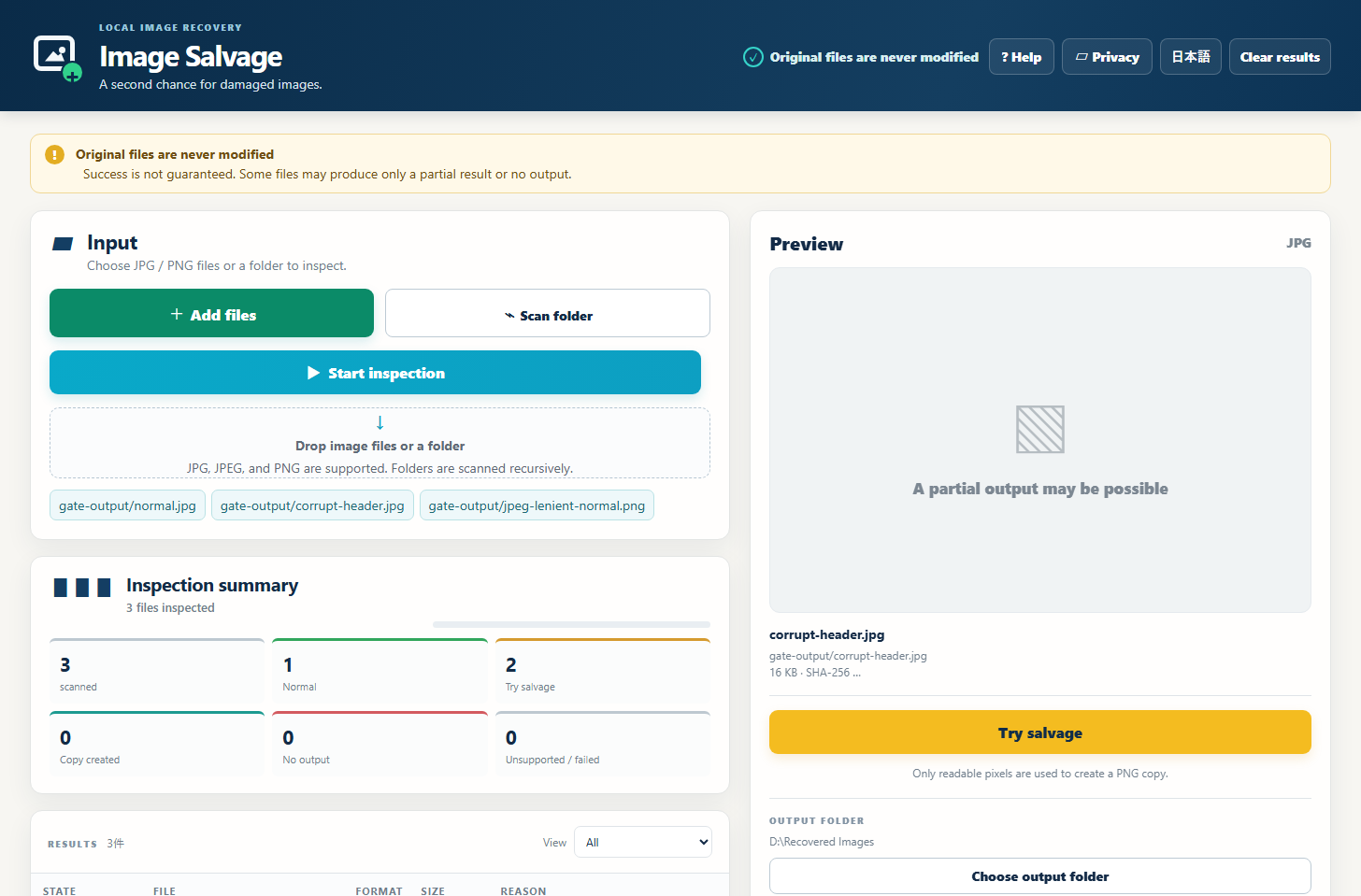
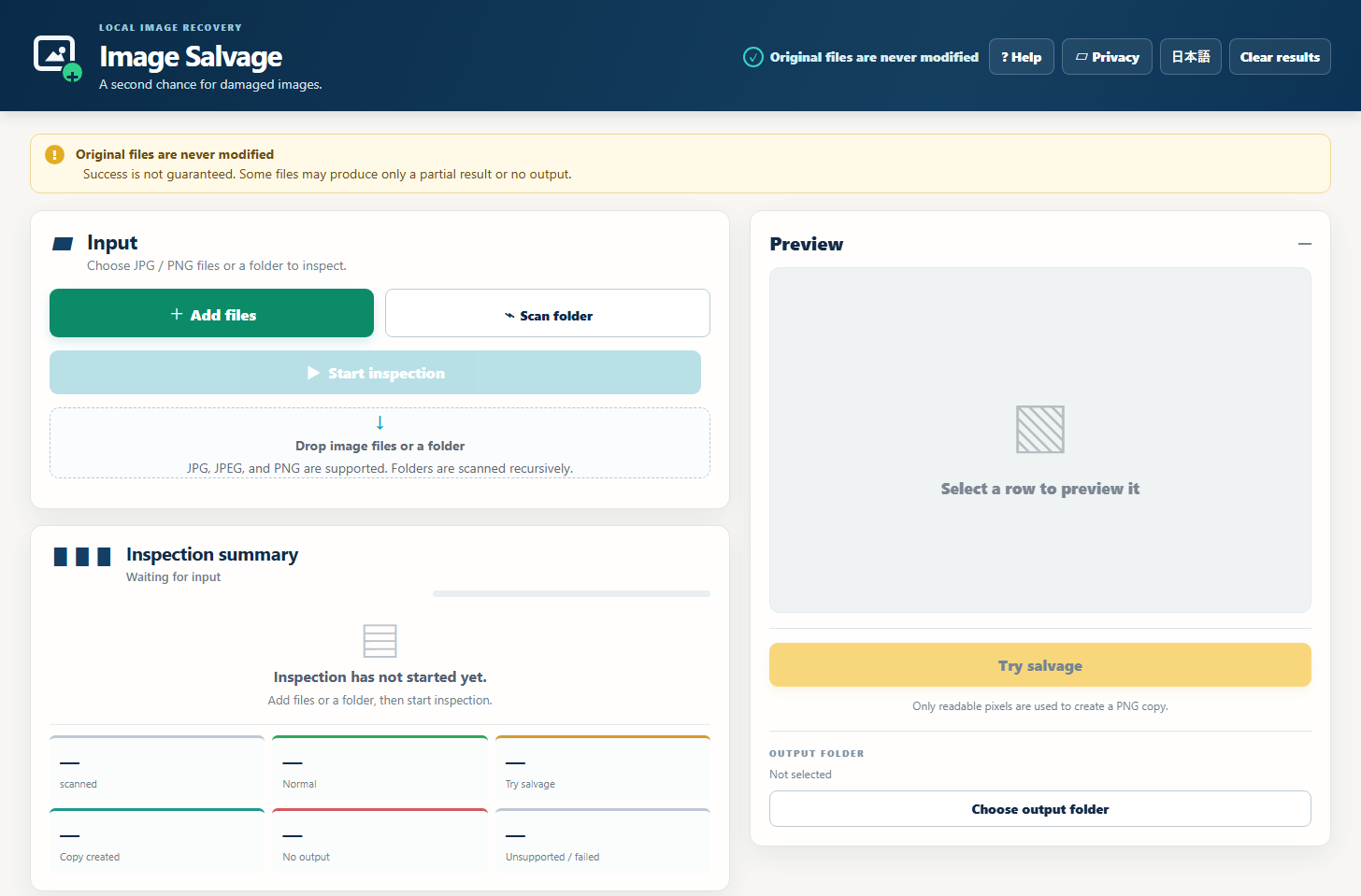
These screenshots show the actual app UI.
Input and previewAdd image files or a folder, then start inspection.Results and partial outputReview status, reason, and output dimensions before trying to save a PNG copy.
Scope
OS
Windows 10 / 11 (64-bit)
Input
JPG, JPEG, PNG
Output
New PNG copy
Processing
Local on the user’s PC
Account
Not required
Network
Normally not required
What it does not promise
It does not restore missing pixels, invent image content, recover deleted files, or guarantee complete repair. Some damaged files cannot produce a safe copy.
FAQ
Image Salvage
Will the original image be changed?
No. The app reads the original and saves a separate PNG copy.
Can every image be repaired?
No. Salvage is attempted only when a safe readable range can be established. Otherwise the result is marked unavailable.
Where can I get it?
Image Salvage is available on Microsoft Store worldwide in Japanese and English.